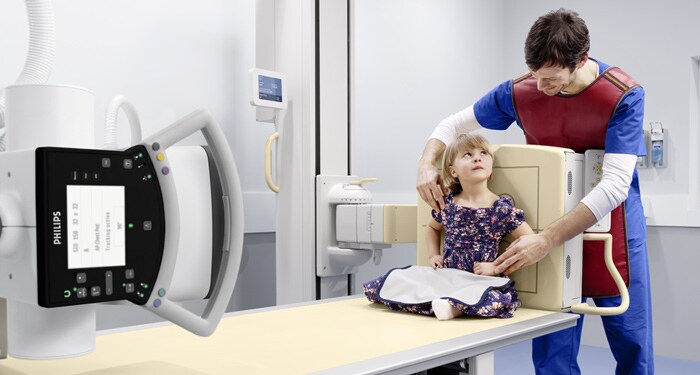
At my clinical site, Jefferson uses the Philips brand for their X-ray tube. On it at the top left corner, there is a horse shoe that will light up whenever it is ready to take the exposure. Now what happens when your machine starts acting up? The first place that I go to is that green horse shoe to check to ensure that it is lit. By checking this, I can confirm that the X-ray tube is in its correct positioning and ready to fire. That green horse shoe could not be green for a number of reasons. Most commonly, either the tube is not locked transversely, the tube is not aligned to the IR, or the wrong position of the IR could be selected. These are the three things to check when your machine refuses to fire. Next, if the X-ray tube is not the problem, I will check the IR to inspect that the battery has a charge. This is important because if it does not have a charge, then the IR will not create an image. The simplest way to check this is to press on the power button and see how much battery is in the IR. The last thing that you can check is the control panel. On the control panel, you can see information that might lead you to not being able to take an exposure. For example, a position could not be selected or exposure factors could not be set.
 X-ray X-pert